I want to use ProtonVPN’s CLI app in the Whonix Workstation. I can install and set it up all easily, but it fails to connect. Based on the User → TOR → VPN → Internet guide on the Whonix website I am assuming a lot of configuration is needed, however I cannot fully follow it because it is based on the assumption that I have a riseup account, which I don’t and I have never even checked or heard of it for that matter. I have a good feeling that ProtonVPN would be easier to get working, and it also utilises OpenVPN. I am wondering if anybody has or knows how to configure Whonix to get ProtonVPN working. If not, would it be worth checking “riseup” and seeing if I can make a free account to follow the whonix page that I have mentioned. Though, I currently don’t feel I should based on the plenty of complaints this forum received about following that page.
Riseup is only an example. Making it work with other VPN providers is left to users.
Consider this undocumented.
Possibly too difficult.
Dear throwawayquestioner, please check your ProtonVPN settings to make sure that only TCP is used and not UDP and not wireguard.
I will tell you something. (Yes I will have to make a new account for each response because I am, in fact, using TOR)
I used Whonix’s guide for dealing with firewall and whonix-specific stuff. But for OpenVPN and ProtonVPN messing around I used ProtonVPN’s pfsense guide for configuring OpenVPN specifically because it mentioned all the openvpn config files and their openvpn certificate which was necessary for Whonix’s guide. (No, I don’t know what pfsense is, yes I obviously only used it up to the protonvpn and openvpn config) I did specifically download ProtonVPN’s TCP config file which includes the certificate so UDP was not used, and wireguard was definitely not used.
Now aside from that, in my most recent attempt at configuration, I configured OpenVPN first, this was because in my last few attempts, my connection stopped working after doing this step:
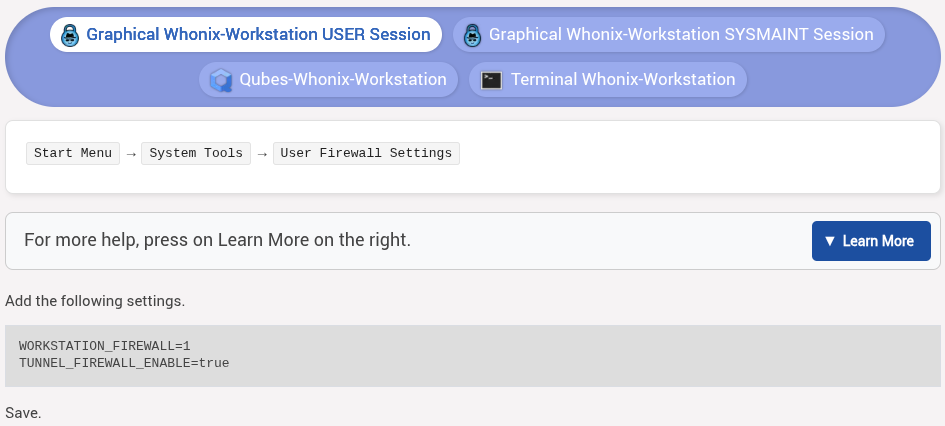
This has already been addressed here in a link on Whonix’s guide. This therefore means that configuring ProtonVPN may be easier than I am made to believe as of thus far, because this is a whonix specific problem that seems to have yet had an efficient solution brought forward but it has had a solution, but it doesn’t seem too great. I have not yet attempted it because I only more recently looked into this, but I may try it when I am motivated to and come back. (With another account, of course)
I’m no genius so I didn’t try any smart solutions before finding what I found. I am basically only updating you here rather than telling you anything meaningful, but it’s probably worth doing anyway. See you later.
Dear throawayresponses, perhaps using ProtonVPN’s browser extension could be the solution? This would be much easier rather than going deep into firewall configuration (honestly I never gone that way but it looks too hardcore for me).