It’s not possible to navigate to other directories using the file dialog after clicking anywhere in the window that is not the ‘OK’ button. Tor Browser becomes unresponsive, and I can only close it using pkill.
1 Like
I can’t. Pressing `Alt+Tab makes the file dialog disappear and reappear when I release the key. Then, the entire browser becomes unresponsive. Could you confirm this bug?
- Open the file dialog.
- Navigate to any folder where access is denied.
- Instead of clicking ‘OK,’ click outside the ‘OK’ button but still within the file dialog.
1 Like
(This forum post was previously a call for testers. No release critical bugs where found during the testing period. This forum post was therefore transformed into a stable release announcement. See edit history.)
2 Likes
I can reproduce the issue. I also found a workaround.
- When you click off the “Permission denied” message, it does indeed get buried behind the window you click on. It does not make a distinct window that you can Alt+Tab to for some confusing reason.
- Furthermore, it seems that because the dialog freezes the other dialogs, you can’t even move them anymore, which is frustrating.
- But, you actually can move them. If you press and hold Alt and then attempt to drag the window, it works (presumably because this tells the Wayland compositor to move the window rather than trying to interact with the window before moving it?).
- This allows you to uncover the hidden “permission denied” window, at which point you can click “OK” and the save window unfreezes.
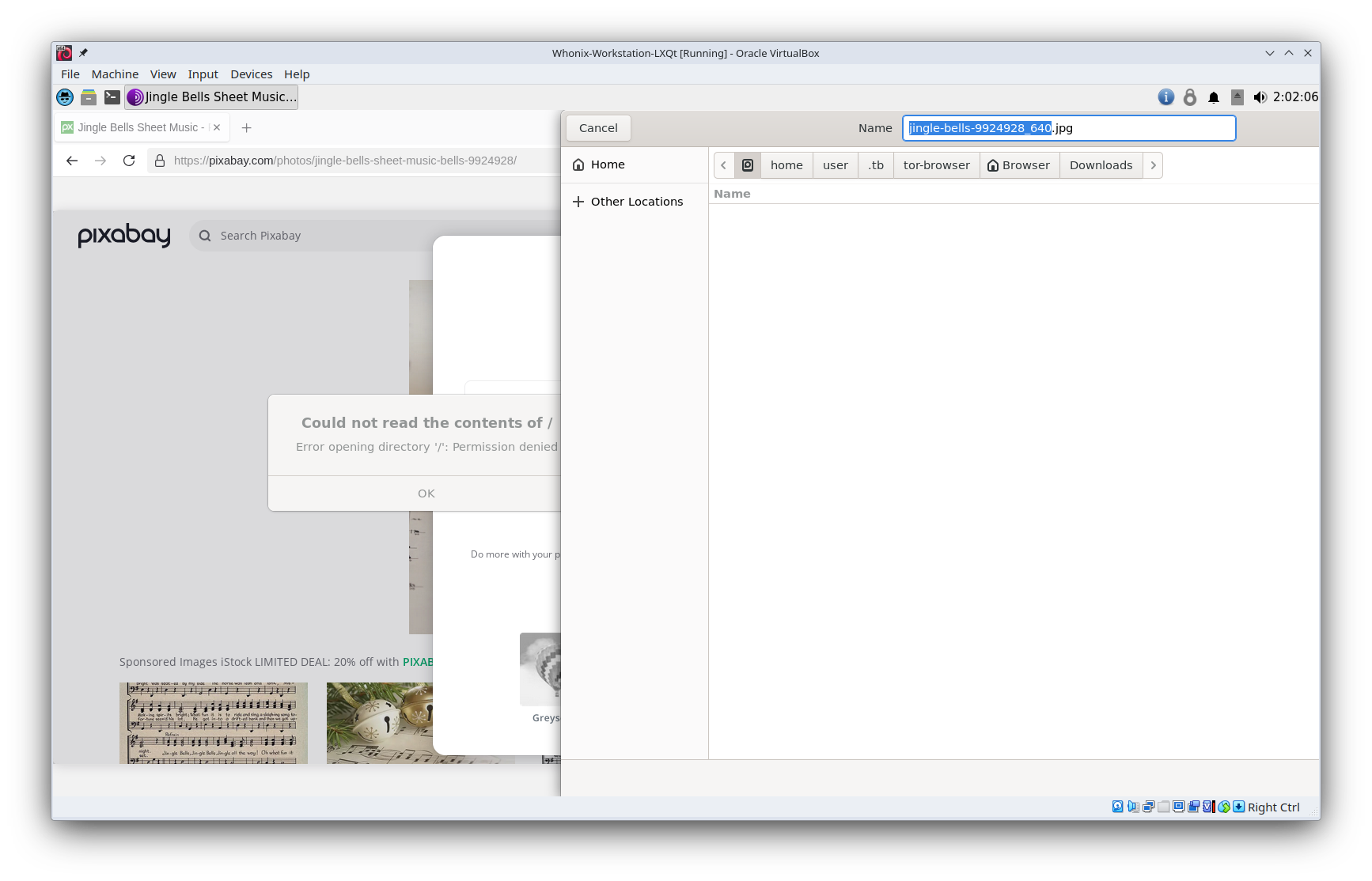
I guess this probably counts as a bug in Tor Browser. Not sure if it even can be fixed, but I’ll report it upstream.
2 Likes
I have same problems like @anontroll on macos. Workstation freezes < 2 minutes, slow, cpu 1 (tried 2), vram 128… Whonix 17 on x11 was perfect, Virtualbox has many problems with wayland (googled)… Looked on wiki for help, nothing worked. What now? thx
1 Like
Whonix 18 in KVM looks great! So many improved security features too! Thanks to all devs and testers and Patrick!
2 Likes