I postponed the upgrade to Whonix/KS 18 until very recently, to minimize the potential disruption to my workflow in case something was amiss. While an overall great version with many major milestones, I ran into some bugs:
When selecting sysmaint persistent mode, the system only shows a blank desktop wallpaper with absolutely no taskbar or icons. The taskbar only appeared when triggering a restart from the VMM menu. The system maint control panel only appeared intermittently and rarely. I managed to enter the root shell when using the keyboard shortcuts for it, but we can’t expect new users to know this.
Attempting to boot into sysmaint persistent mode doesn’t work unless the system boots in graphics UI mode. Any attempt to do so in command line mode is ignored - as when attempted on Whonix Gateway when configured with lower RAM
sysmaint mode causes the mouse to be captured vs regular user mode instead of the seamless cursor experience. Easy to deal with, but the mouse becomes harder to move accurately in this case, moving larger distances with the normal touch input. Not always reproducible
The “remove sysmaint-user boundary” boot option similarly boots into a dysfunctional desktop that has a blank wallpaper. No safe uninstall method as documented on the wiki is ever initiated
The systemd unit that is responsible for mouse integration (spice-vdagentd) isn’t starting?
This might fix it. Please investigate, confirm.
Due to missing spice-vdagentd also screen adjustment is broken? And the popup you’re supposed to see which shows the confirmation dialog isn’t in the visible area of the screen and would require scrolling left/right/up/down?
Alternatively, you can use dummy-dependency to remove the user-sysmaint-split package while booted in PERSISTENT Mode | SYSMAINT Session | system maintenance tasks (a special startup mode used for system changes). [1]
On a Kubuntu 26.04 LTS host, I cannot reproduce this. With a Whonix-Gateway 18 KVM VM, booting into PERSISTENT Mode | SYSMAINT Session brings up a desktop with a gray background, an information bar at the top of the display with a clock and some system tray icons, and the sysmaint panel window in the middle of the screen. The same thing happens on a Whonix-Workstation 18 KVM VM, but the background is blue and a volume indicator is also present in the information bar.
On my end, I’m dropped to a normal console login prompt in Whonix-Gateway 18 when attempting this. If I enter the username sysmaint at the login prompt, I am logged in, and a notice about the dangers of sysmaint mode is displayed. If I attempt to log in as a standard user, I get ERROR: Rejecting non-sysmaint account 'user' in sysmaint session! Conversely, when booting in PERSISTENT Mode | USER Session with low RAM brings me to the same login prompt, but attempting to log in as sysmaint results in the message ERROR: Rejecting sysmaint account in user session!, and logging in as user succeeds.
Mouse integration seems to work fine here in both the gateway and the workstation.
I get an uninstall prompt when attempting this on Whonix-Gateway 18.
I’m guessing you’re using a release-upgraded installation? It’s possible that you’re still using LightDM as a display manager, and that it’s trying to use the older, halfway-present-but-essentially-unmaintained X11 sysmaint session. I can easily imagine this being buggy in a number of ways. The Wayland sysmaint session has none of these issues in my testing. (Note that I’m also using very fast hardware for my testing, so maybe everything works on my i9-14900HX system but doesn’t work on a slower system?)
I mean if the DE is disabled by rads due to a lower RAM being set, the terminal opened is not able to elevate privileges despite persistent sysmaint mode being selected on boot.
I will check and get back to you.
Could be, but there’s the problem of absolutely no taskbar or anything loading most of the time. I am met with either a blank wallpaper or a grey screen.
Has indeed worked, but I get the impression that there was supposed to be a gui dialog for initiating that process primarily. Fortunately this command seems to work though
Please clarify what you mean. I downloaded the latest stable point release published on the wiki and then proceeded to run it with the latest updates at the time.
What command do I run to find out what display manager is running?
Ran latest updates and the issues persist. Haven’t run into the display resolution hiccup yet though the mouse cursor capture problem remains in sysmaint mode.
Two new problems have appeared after upgrading though. systemd-modules-load.service fails to load, accompanied by a secure_tcp_seq not found in symbol table error
and systemcheck gives an odd fail message: “leaprun_system_check failed”
Also I can’t upload the screencaps because the upload file explorer of TBB cannot access the browser Downloads folder and conversely, despite being able to see the home folder, probably has no read permissions over it and so no upload operation is possible either.
By “release-upgraded installation”, I meant a pair of Whonix 17 KVM VMs that were upgraded to Whonix 18 KVM using /usr/sbin/release-upgrade. It sounds like that isn’t what you did though.
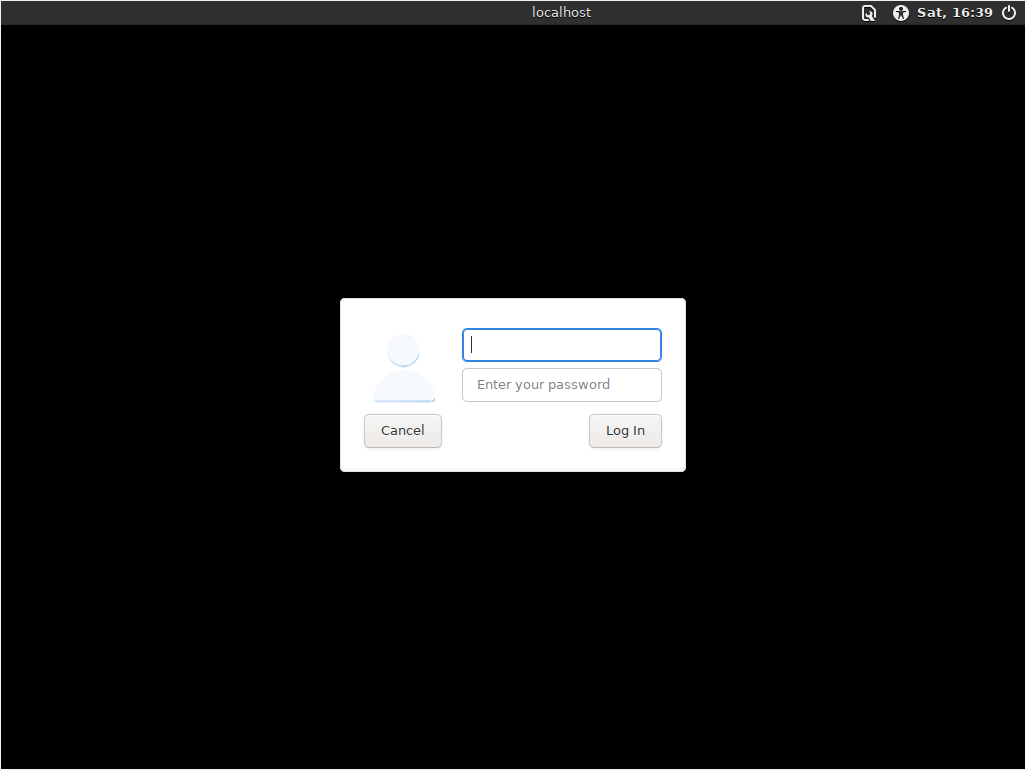
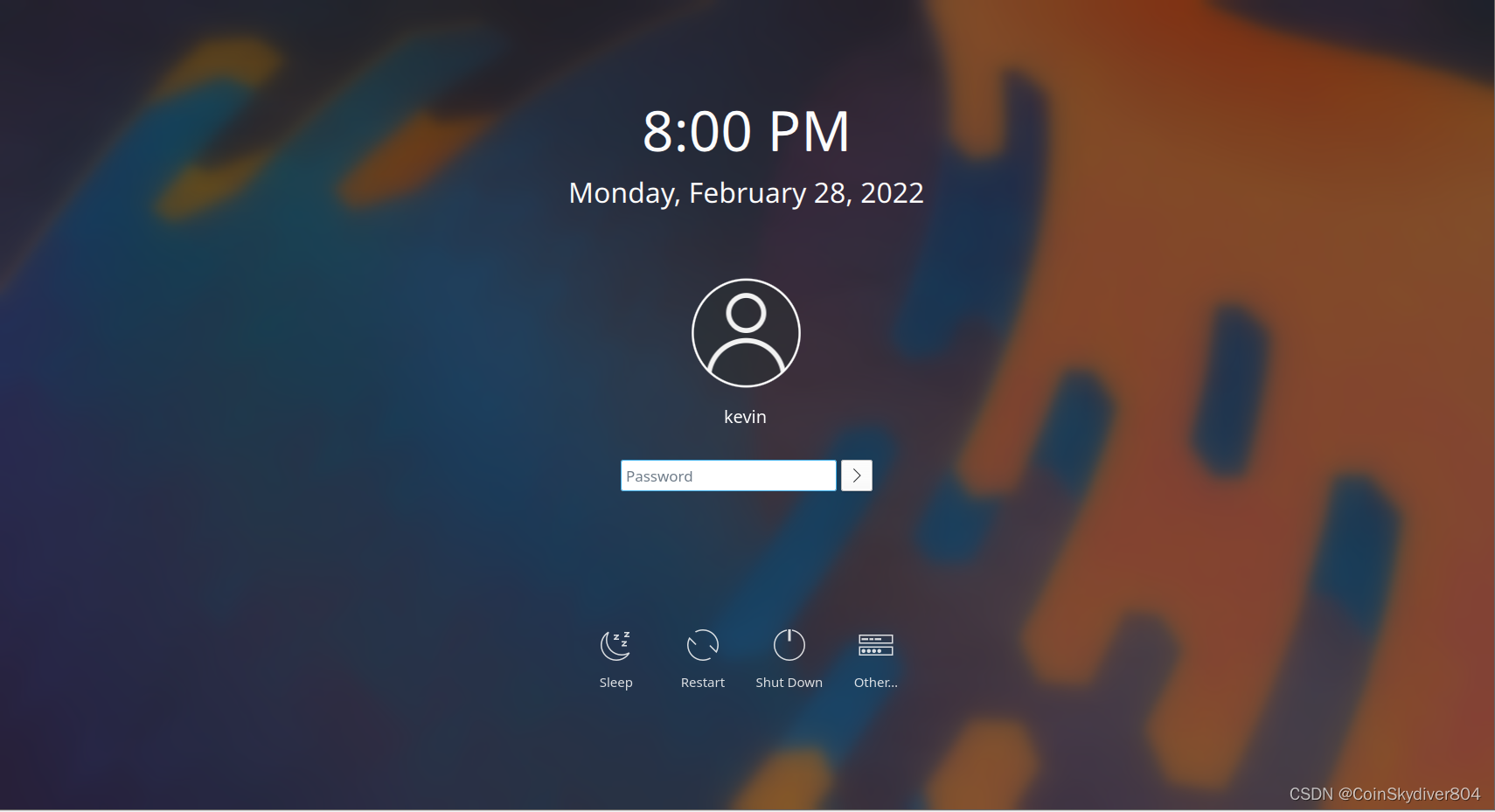
It’s a bit tricky, since rads uses some complex logic to decide what display manager to use. The best way to tell is to disable autologin, then reboot, and look at what the login screen looks like.
If it looks like this, you’re using greetd, which is the greeter you should be using.
If it looks like this instead, you’re using LightDM, which is bad.
If it looks like this, this, or something else fancy, you’re probably using SDDM, which is bad.
Known issue, fix in progress:
This is specifically the browser Downloads folder, or the Downloads folder in /home/user? If the latter, this might be a bug, though it’s unlikely. If the former, you probably have a corrupted Tor Browser installation, and might consider running rm -rf ~/.tb to wipe out your current installation of Tor Browser. Then you can re-launch Tor Browser to reinstall it from the system-wide copy.
All of these issues together kind of make me wonder, is your download of Whonix actually good? Did you GPG-verify it, and are you sure your system’s storage drive isn’t failing? Also, what CPU are you using? Maybe you’re using older hardware that is slow enough to hit weird race conditions or something along those lines.
Run sudo journalctl on your host machine, then search for the string I/O error. If you see errors on your main drive, that’s a bad sign.
If you’re looking for service startup race conditions, you can run systemcheck --verbose in an affected VM and potentially get some hints about services that failed startup or similar.