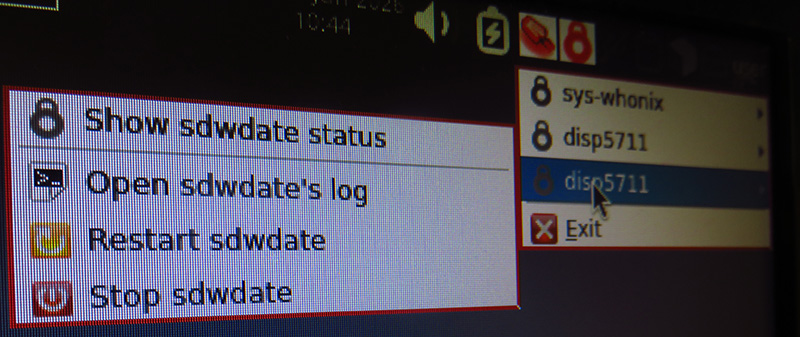
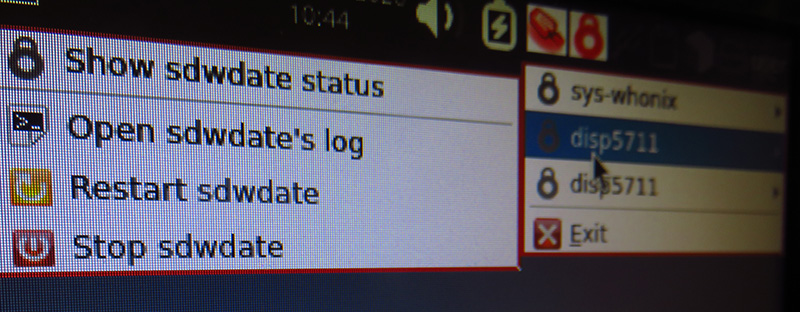
Since the release of Qubes 4.3, I’ve noticed a small, but creepy issue, though I’m not sure if it’s caused by Whonix or Qubes:
When you try to right-click the red SDWD icon in the top-right corner, it often doesn’t work.
When you open a disp and then right-click the clock icon in the top-right corner, the disp appears twice, along with its number. The following images illustrate this:
Hello! Thank you very much for the response. My system updates are all up to date.
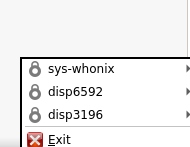
In your example, the numbers of the sys-whonix-disp and the Thunderbird-disp are shifted. For me, only one disp is open, but it appears twice, as shown in the pictures above.
The problem also exists with Whonix-Clones and also apps that are based on Whonix.
If you are sure that you have everything upgraded and setup properly, well i see you have two options:
Try to enable testers repository for both whonix ws and gw and upgrade everything then restart Qubes (just in case), then test again.
Remove Whonix ws,gw templates and dispVM, then install them again (Make sure to switch the Whonix AppVMs to any template so you can remove whonix templates, then reback once whonix installed again).
Are you using a laptop with no physical trackpad buttons? You might accidentally be left-clicking on the icon. Left-clicking does nothing, only right-clicking does. (I frequently left-click when I mean to right-click when I’m not using a real mouse.)
This can happen if sdwdate-gui-client is running twice in your DispVMs. If you run pgrep sdwdate-gui-cli, how many numbers (running processes) are displayed?
Arraybolt: I don´t use a laptop, but a “normal” Desktop-PC with a keyboard. Yes, you´re right, I´ve tested it again with right-clicking, but the problem also occurs.
I also conducted the test using the command line (in the terminal of the running disp-VM). Two different numbers appear, but they have nothing to do with the disp number. The number of the disp still appears twice when right-clicking on the red clock icon, which, as mentioned, also applies to other apps.
By the way, I also have the entire system running on a second computer, and the problem exists there as well.
Add: I ran in the same terminal: ps -fe, with the following result:
Both processes are displayed with their respective numbers as follows:
/usr/bin/python3 -su /usr/bin/sdwdate-gui-client
Nurmagoz:
I will reinstall Whonix over the weekend and then report back.
I completely uninstalled the Whonix system and then reinstalled it from scratch. The problem has not been resolved by this. I therefore suspect that it is not inherent to Whonix, but rather a Qubes problem. Therefore, I will post it in the Qubes forum.
If anyone has any ideas about what it could be, it would be interesting to know.