I was having an issue with not being able to minimize some of my flatpaks under the new system. This included flatseal, which was one of these flatpaks. It had its minimize button greyed out, unless I disabled the wayland permission and enabled the fallback-x11 permission. In that case, the minimize button did work (presumably under xwayland).
But I preferred to use regular wayland, so I started looking for a solution. Since I do not know what is a result of upstream LXQT anbd what was specific to kicksecure/whonix, I downloaded https://cdimage.debian.org/debian-cd/current/amd64/iso-cd/debian-13.3.0-amd64-netinst.iso to install in virtualbox for testing purposes.
But before installing that, I read on The Two Ways of Wayland | LXQt that there is a guaranteed way to minimize applications. You can right-click on a window at the menu bar at the top and select minimize. You can see an image of how this works at https://lxqt-project.org/images/posts/windowbutton-kwin.png.
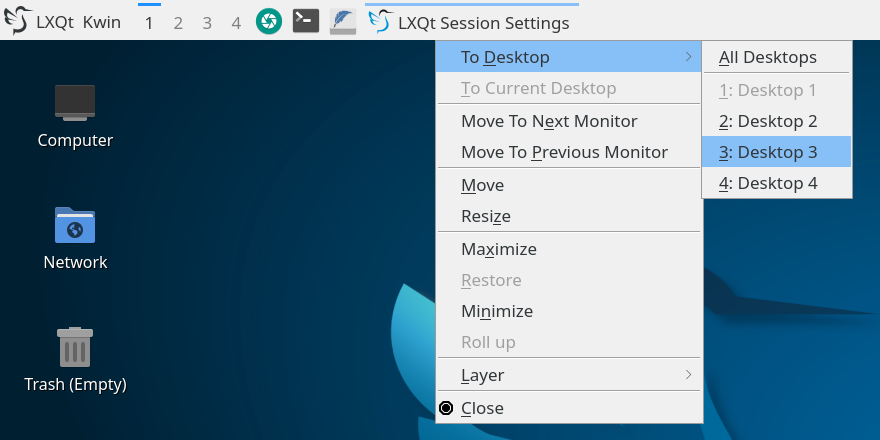
I was about to spend some time trying to figure this out, but now I do not have to. So I figured I would share this on the forum in case anyone else was having this problem and struggled with finding a solution. You can also click off of the window if you have other applications open, but clicking off the window does not work if the troublesome application (like flatseal) is the only application open.