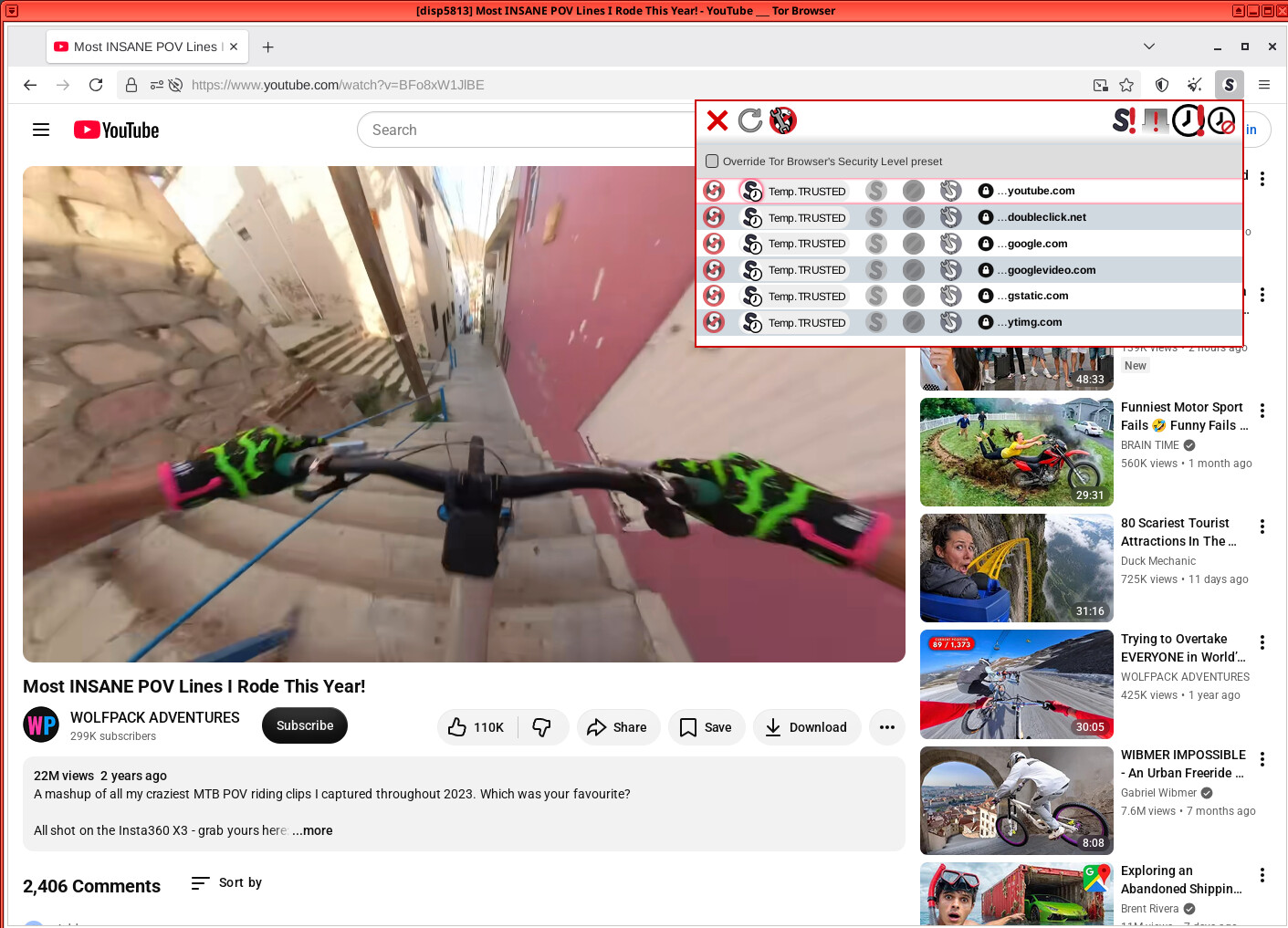
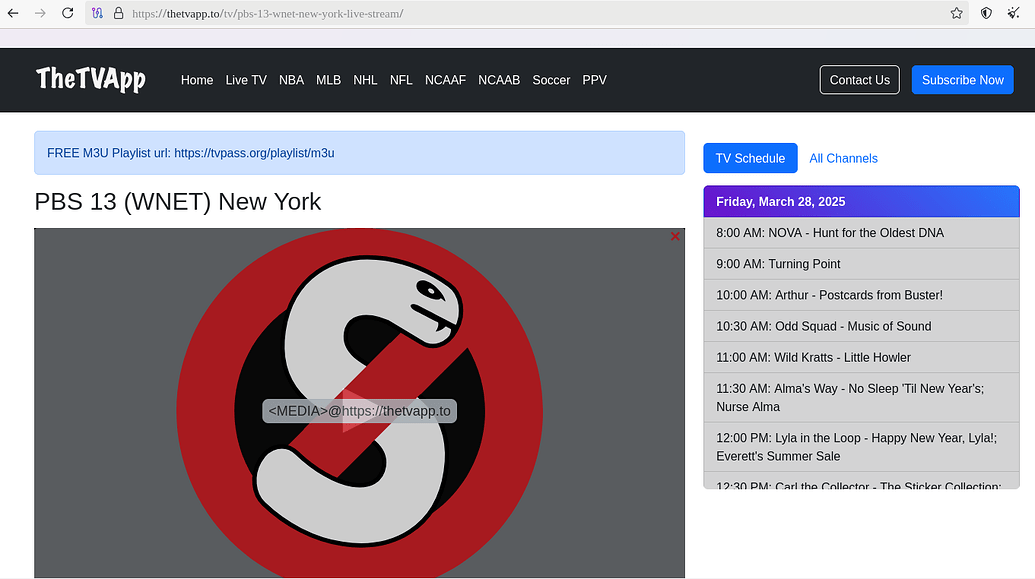
I have a problem since the last few days, that many times I can’t play videos in the Tor Browser (Disposable Vm in Qubes OS) if I change the security level to “Safer”.
Before, there would always appear a red Noscript window where the video is, on which I click and then another window pops up where I click to enable the video.
But it seems that the red Noscript window on which I need to click first, does not appear anymore most of the times. Only sometimes it will appear. Sometimes it will appear for like a second, not enough time to click on it to enable the video and sometimes, when it works how it should, only the first video works…so if I want to watch another video in the same Tor Browser session, the red Noscript window will not appear on the second or third video and so on.
If I change the Tor Browser security level back to “Standard”, everything works fine every time.
I was always surfing with Tor Browser security level “Safer” and had never problems playing videos this way, but the last few days something has changed and now I got this problem. I re-installed the Tor Browser, but it didn’t help.
Help is much appreciated.
Can you provide a little more details?
Did you test it for example with the Tor Browser on Windows and got the same problem or what exactly did you test? Because one thing is to say “it could be not Whonix related, but this is just an assumption”, but something completely different it is if you tested it and verified, that it’s not a Whonix problem, but a Tor Browser problem for example.
Seems to be Whonix’s fault.
I installed the Tor Browser in a Debian application qube in Qubes OS and there everything works fine.
Since it seems to be a Whonix problem, I want to add that at about the same time I also have sometimes the problem on Youtube (with Tor Browser security level “Safer” of course), that I put something into the search bar and click “search”, then the url changes, but the page doesn’t change at all. I sometimes have to refresh the page, so that the page changes to what the url says. This problem might be not related to my initial problem, but since it started happening about the same time, this could be linked. I didn’t have this problem before.
Btw another problem I just noticed, not related to this thread: The onion address of this forum doesn’t work. But worked some minutes ago…so maybe you need to look into it.
But is your Tor Browser Security Level always set to “Safer”?
Because out of the box, the Tor Browser Security Level is always set to “Standard” and not to “Safer”. Like I said, I also don’t have any problems if I run the Tor Browser with the Security Level “Standard” (Disposable Vm in Qubes OS). The problems start to appear if I change the Tor Browser Security Level to “Safer”.
Also I said, that sometimes it works fine for one video. So even if you are ALWAYS changing the Tor Browser Security Level to “Safer”, which you have to do every time you start a new Tor Browser Disposable VM, then try and check it multiple times, meaning starting a new Tor Browser Disposable VM 4 or 5 times and check if every time the video can be played or not. Because if you tried it only once, you could have gotten lucky like I do sometimes.
And again, the most important thing: Every time you start a new Tor Browser Disposable VM in Qubes OS, you always have to change the Tor Browser Security Level to “Safer”. If you forget that, then your test means nothing.
No i didnt go into NS settings, i visit the video URL with safer then the video will be blocked by NoScript, so it will ask me if i would like to allow xyz in order for the video to play, then i allow what can make the video play then i play the video.
And you did this multiple times, meaning you started 4 or 5 times a fresh new Tor Browser Disposable VM, always changed the Tor Browser Security Level to “Safer” and it always worked?
Because what tons of JS are you talking about? It’s one and only one pop up?
Please try the Youtube video I mentioned above, and try it 4 or 5 times, meaning starting a fresh new Tor Browser Disposable VM 4 or 5 times, and then tell me if it works every time or only sometimes.
If it does work for example 5 out of 5 times, then it does not make any sense, because for me only the Tor Browser in Qubes-Whonix has the problems I mentioned and not for example the Tor Browser I installed in Debian on Qubes OS.
Go back to the video URL then hit the NS extension from above, and then press on the button with clock and exclamation mark to temp allow, or you can allow manually until the video work (youtube.com and googlevideo.com, then worked from my side):
Thank you very much for trying/looking into it @nurmagoz. Since not only have I tested the Tor Browser on Debian in Qubes OS and confirmed that it’s only a problem in Qubes-Whonix and nowhere else, plus @nurmagoz has it confirmed too, this is now officially confirmed, I would say, right @Patrick ?
To @nurmagoz : Thank you for the workaround, but I don’t want to change anything in the settings of the Tor Browser/Noscript, except Tor Browser Security Level to “Safer” of course, not only because of convenience, because in a Qubes-Whonix Tor Browser Disposable VM the settings are not saved to another session of Tor Browser Disposable VM and I would have to do it every time I start a new Tor Browser Disposable VM, which I do very often.
But there is also the problem, although I don’t know how much or if it at all effects my anonymity, but the more you start changing stuff, even if only small stuff, the more risk you get to making a mistake security wise or standing out of the crowd with your different settings and get deanonymized easier. For this reason the Tor Project discourages changing any settings in the Tor Browser.
But again, since this seems now to be confirmed as a bug/problem of Qubes-Whonix, hopefully it will we fixed fast.
Very strange. That does not make any sense, because like I said, I installed the Tor Browser (obviously the same version as in my Tor Browser Disposable VM in Qubes-Whonix) and everything works fine. Got no problems at all.
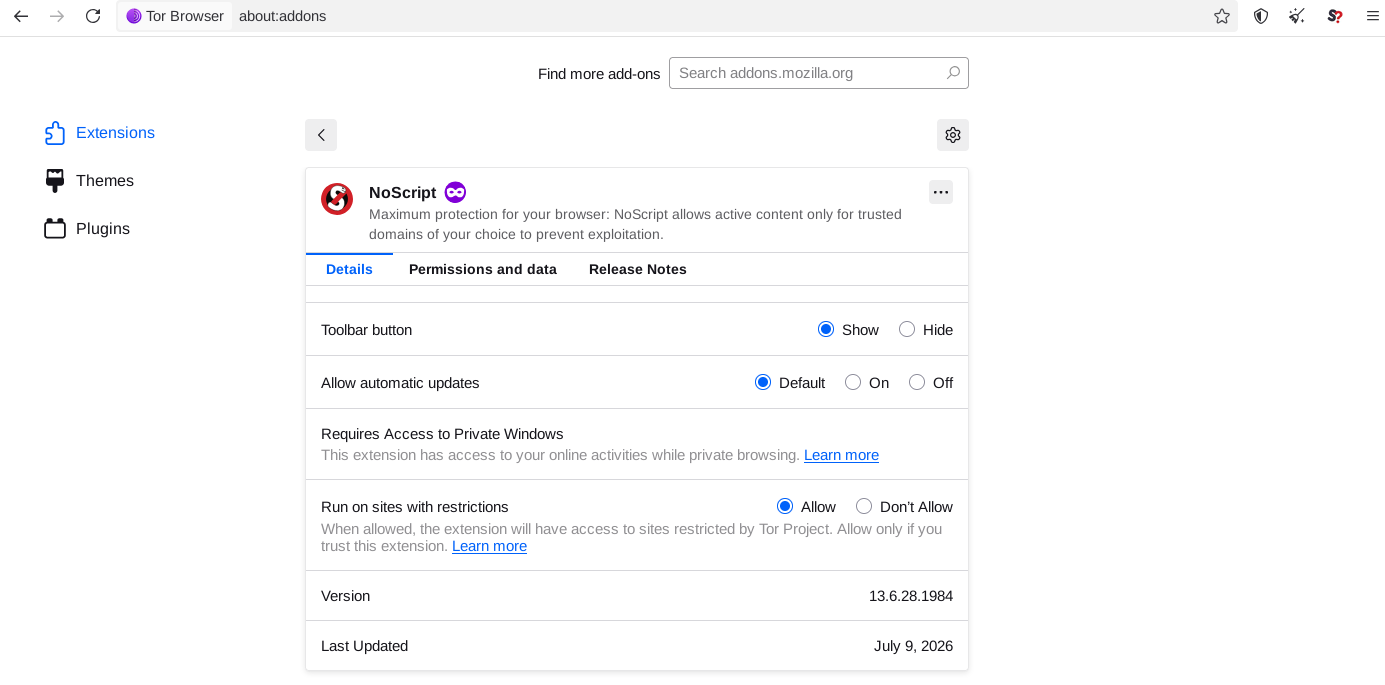
Somewhat later: But now that I look at it, in my Tor Browser Disposable VM in Qubes-Whonix the Noscript version is 13.6.28.1984 (July 9, 2026) , but on my Debian in Qubes OS, where it works fine, it’s version 13.6.25.1984 (June 28, 2026) , an older version, although it’s a fresh install of Tor Browser in my Debian on Qubes OS.
Why does the Tor Browser in Qubes-Whonix has a different version of Noscript than on my Debian Tor Browser in Qubes OS?
Later again: Now I have updated Noscript in my Debian Tor Browser in Qubes OS manually to the newer version 13.6.28.1984 (July 9, 2026) like I have in my Tor Browser Disposable VM in Qubes-Whonix and well…it seems to be the fault of Noscript, because now I have the same problem in my Debian application VM Tor Browser like I do in my Tor Browser Disposable VM in Qubes-Whonix.
So where do I go with this? To the Tor Project forum?
Damn, the Tor project and Noscript are both stupid.
I tried to register at both of them, the Noscript forum always said, that the “solution is not correct” and therefore I couldn’t register and the Tor Forum said “Your account hasn’t been approved yet. You will be notified by email when you are ready to log in.”

 to temp allow, or you can allow manually until the video work (