I think it will (.onion metalink=). I 'll give it a try and submit pull request.
1 Like
Re Disable TCP and ICMP Timestamps alphabetically sorting by name (Linux, Qubes, Windows…)
I don’t think generally the wiki should sort everything alphabetically. For example on the Instant Messenger Chat, I don’t like Retroshare on top. But also “starts with R” isn’t a good reason to move it to the bottom. Reasons for moving it more down:
- not the most recommended solution
- lengthy installation instructions
- no other best criteria
- not the most usable client
- not the most secure client
- not the most privacy preserving client
Will reorder the chat clients now.
Should be able to fix that up.
No problem.
Anyhow, everything is now fully edited and links fixed up to the Anonymous Browsing section of ToC (most of that is done too).
Finally escaping the wiki security sections after a lifetime editing there is a big plus.
1 Like
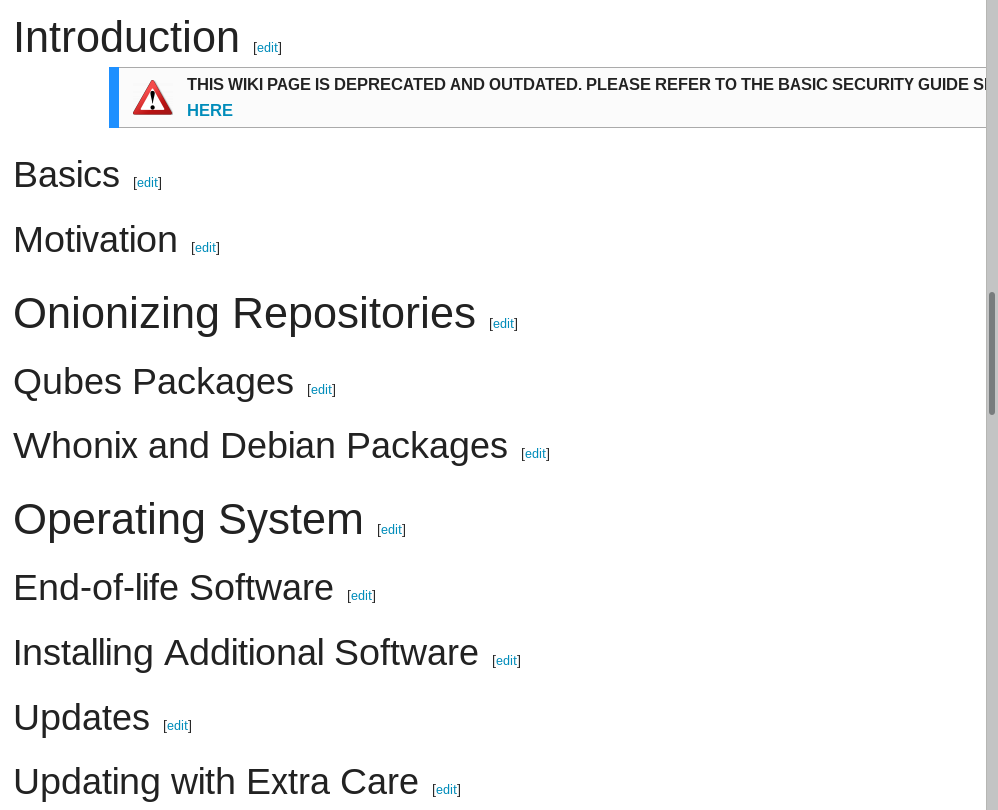
Search Engines showing titles but when u click on them , it shows this one:
(to separate the wiki and divide them into small pieces is real misunderstanding of the wiki design itself. btw thats why there is a content section which mean no matter how long is the wiki u can still go through it easily).
If that was true, then we would have a single wiki page with every Whonix entry in it, and it would be longer than War and Peace.
And it would be just as useless, ugly, overwhelming, and hard to find anything logically, as was the case for those 3 sections before they were split. And it would not be “fixable” to address tickets related to simplification of those sections, as a large  of a text cannot just be shifted on the TOC to fix logical problems re: where content logically belongs.
I know this because I’ve spent months in those documents and related text - probably longer than anyone else in the community in recent times, and I’ve basically touched every sentence.
Any search engine stuff will be updated over time, so no big loss. Stuff searched for locally works fine.
3 Likes
Moved install from testing instruction to wiki template https://www.whonix.org/wiki/Template:Install_Testing used here: Electrum Bitcoin Wallet so we can reuse it elsewhere. Very handy to have. 
2 Likes
Tor 3.4.8 upgrade - nice.
Couple of issues re: wiki.
1. One person noted over in the Qubes issues tracker a valid point re: upgrading to Whonix 14, prior to a Qubes 4.0.1 release where it is the default. That is, we recommend the uninstalling of Whonix 13, then using Salt etc to download the new Whonix 14 version.
Problem is, clearnet download says to adversaries: “Look over here! I’m one of the few 10s of thousands that uses Whonix in Qubes. Please rape me at IP address XX.XXX.XXX.XX”?
2. We say in a few places that you should have the latest Tor Browser installed on the host (Qubes: a DebianBased AppVM?) to check Tor connectivity if Whonix is borked & to find a viable solution.
Fine, but I think the days of manual downloads from Tor Project, and key, and verifying on the command line are so 1999.
Why don’t we explicitly note in the wiki instead a preference for the torbrowser-launcher method instead (from stretch-backports):
Install from official repository
Debian “experimental”
If not already done add the experimental repository to your sources.list.

printf "deb http://deb.debian.org/debian experimental main contrib" > /etc/apt/sources.list.d/experimental.list
apt update

Using Terminal as Root execute the following command

apt install torbrowser-launcher -t experimental
Debian “Sid”
Users of Debian Sid (Unstable) can install torbrowser-launcher easily:
Using Terminal as Root execute the following command

apt install torbrowser-launcher
Debian 9 “Stretch”
If not already done add the Backport repository to your sources.list.

printf "deb http://deb.debian.org/debian stretch-backports main contrib" > /etc/apt/sources.list.d/stretch-backports.list
apt update

Using Terminal as Root execute the following command

apt install torbrowser-launcher -t stretch-backports

To open Tor Browser choose one of the following two options

    Option 1: Using GNOME, open the Activities Search. Simply type in Tor Browser

    Option 2: Using Terminal as user run the following command

torbrowser-launcher

The first time you open Tor Browser the new version will automatically be downloaded and installed. On every subsequent open a check for updates will be done, and Tor Browser will automatically be updated to the latest available version from the Backport repository.
I like the torbrowser-launcher option by Micah (and @mig5?). I tested it, and unfortunately doesn’t work due to the new signing sub-key or whatever used by the Tor Project not yet being recognized.
No doubt it is a marked issue to fix and will be sorted shortly, but do you like this method @Patrick i.e. automate things?
Still on my TODO:
- Continue link fixes
- Note upgrading kernel steps to address various threats recently discussed
- General edits for awkward text etc.
1 Like
@torjunkie in my experience, micah’s program in the debian repos breaks often due to various changes done by torproject.org. i have not had a consistent enough positive experience that i think it is viable through the debian repos.
3 Likes
1. I still see jessie references here and there e.g.
You might want to do a global search and see if any critical pages / templates are affected and use the wiki variable for “current Debian version” instead so they always remain current.
2. Also, that testers page where there are blank sections - what does this signify? I gather it means that test is hard to complete in Whonix now i.e. new command line variables and/or just that stretch command line operations are different?
E.g.13 blank sections there currently (see below).
Any easy fixes with your command line expertise or those we can deprecate? @0brand might want to get on in this technical stuff too →
- Install test wise new kernel.
- Test if arm’s new identity function is working.
- After logging in you should see Whonix help/welcome/disclaimer message.
- Test connecting to an obfsproxy bridge.
- Power off Whonix-Gateway. Try to ping outside or to use the browser in Whonix-Workstation. Obviously, should NOT work.
- Power on Whonix-Gateway again. Visit https://check.torproject.org/ with Tor Browser. You should see a “Congratulations”.
- Test Tor Button’s New Identity Feature.
- Note: Ping commands should NOT work for external addresses from your Whonix-Workstation, ICMP traffic[5] is not proxied, and filtered by Whonix’s Firewall (/usr/bin/whonix_firewall), because Tor does not support UDP.
- dig google.com must only return a single IP, compare with the output on Whonix-Gateway or Host.
- Setup an onion service on Whonix-Gateway and test if it works. You can access your own test onion service using Tor Browser.
- See if whonixcheck gets autostarted.
- Test HexChat, connect to a an SSL protected IRC server.
- Test HexChat, connect to a hidden IRC server.
1 Like
The FAQ page now wants to download some type of file when you click on the link instead of showing the relevant wiki page? 
1 Like
Sorry @torjunkie, that was an issue I accidentally re-introduced yesterday working on wiki codebase stuff. Fixed.
2 Likes
torjunkie:
1. I still see jessie references here and there e.g.
You might want to do a global search and see if any critical pages / templates are affected and use the wiki variable for “current Debian version” instead so they always remain current.
Already done. That one slipped through.
2. Also, that testers page where there are blank sections - what does this signify?
Just a stylistic choice. Once preformatted/code box per test item.
I gather it means that test is hard to complete in Whonix now i.e. new command line variables and/or just that stretch command line operations are different?
No. If stuff like "See if whonixcheck gets autostarted. " needs a
lengthily explanation, then the effort explaining how to do that would
be higher than the gain of having this tested.
E.g.13 blank sections there currently (see below).
Any easy fixes with your command line expertise or those we can deprecate? @0brand might want to get on in this technical stuff too
The more I think about it the less I think the /Test page is fixable /
anyone reading it. I doubt anyone is doing it.
For example it says:
cat /etc/apt/sources.list
However we are not using that file anymore in Whonix.
cat: /etc/apt/sources.list: No such file or directory
Yet that was never questioned.
The solution:
Everything said on that page should be TODO items for whonixcheck as far
as that is possible. Everything else:
1 Like
torjunkie:
2. We say in a few places that you should have the latest Tor Browser installed on the host (Qubes: a DebianBased AppVM?) to check Tor connectivity if Whonix is borked & to find a viable solution.
Fine, but I think the days of manual downloads from Tor Project, and key, and verifying on the command line are so 1999.
Why don’t we explicitly note in the wiki instead a preference for the
torbrowser-launchermethod instead (from stretch-backports):
Let’s use GitHub - Kicksecure/tb-updater: Tor Browser Downloader - Automates download and verification of Tor Browser from The Tor Project's website. This package is produced independently of, and carries no guarantee from, The Tor Project. - yes, now also supported
on Debian.
1 Like
Deprecate it then?
OK - added to my backlog (bit busy at the minute).
Anyhow, Tor Entry Guards → Fixed.
(I’ll fix those links due to restructuring after you approve it)
Also, shouldn’t all the templates that refer to running “Whonix Setup” or “Whonix Setup Wizard” (as GUI options) instead now state “Anon Connection Wizard” following release of Whonix 14?
There are a bunch of template references where this applies (I’m just noticing it on the Tor Entry Guards wiki page).
Edit: I realize I introduced an annoying grammatical nit through most pages → “, and” which is in most circumstances incorrect. Stylometry’s a bitch. 
1 Like
‘’‘3.’‘’ Enable Tor using
whonixsetup/whonix-setup-wizardat the new location.
vs
‘’‘3.’‘’ Enable Tor using Whonix Setup / Whonix Setup Wizard at the new location.
It was written whonixsetup because it was referring to the command line version.
1 Like
Fixed. That Surfing Posting etc page needs more work, plus re-organization which I’ll knock off.
Is this up-to-date now you had your Qubes commit accepted?
1 Like
Is the commit in Qubes stable?
1 Like
I guess not if the following is the right package.
1 Like
Just a heads up - some big changes in OnionShare are coming, and have landed in develop branch already (such as v3 onion support). But on Debian Stretch (and so Whonix), it will be necessary to pip3 install pysha3 to use v3 support. We hope to get python3-sha3 backported to stretch-backports, if not also OnionShare itself, to deal with this awkward issue.
We’ll mention this in the OnionShare docs, and I realise I’m contradicting myself by my earlier statement ‘just point people at the official docs’, but given it will specifically affect Whonix users, maybe it’s not a bad one-liner to add. Let me know if it would be more convenient if I made the change and you reviewed? Thanks for your efforts
1 Like
Not sure if I should have made a request for issue #2623 to be reopened first, and then made the pull request.
1 Like